Knowledge Base
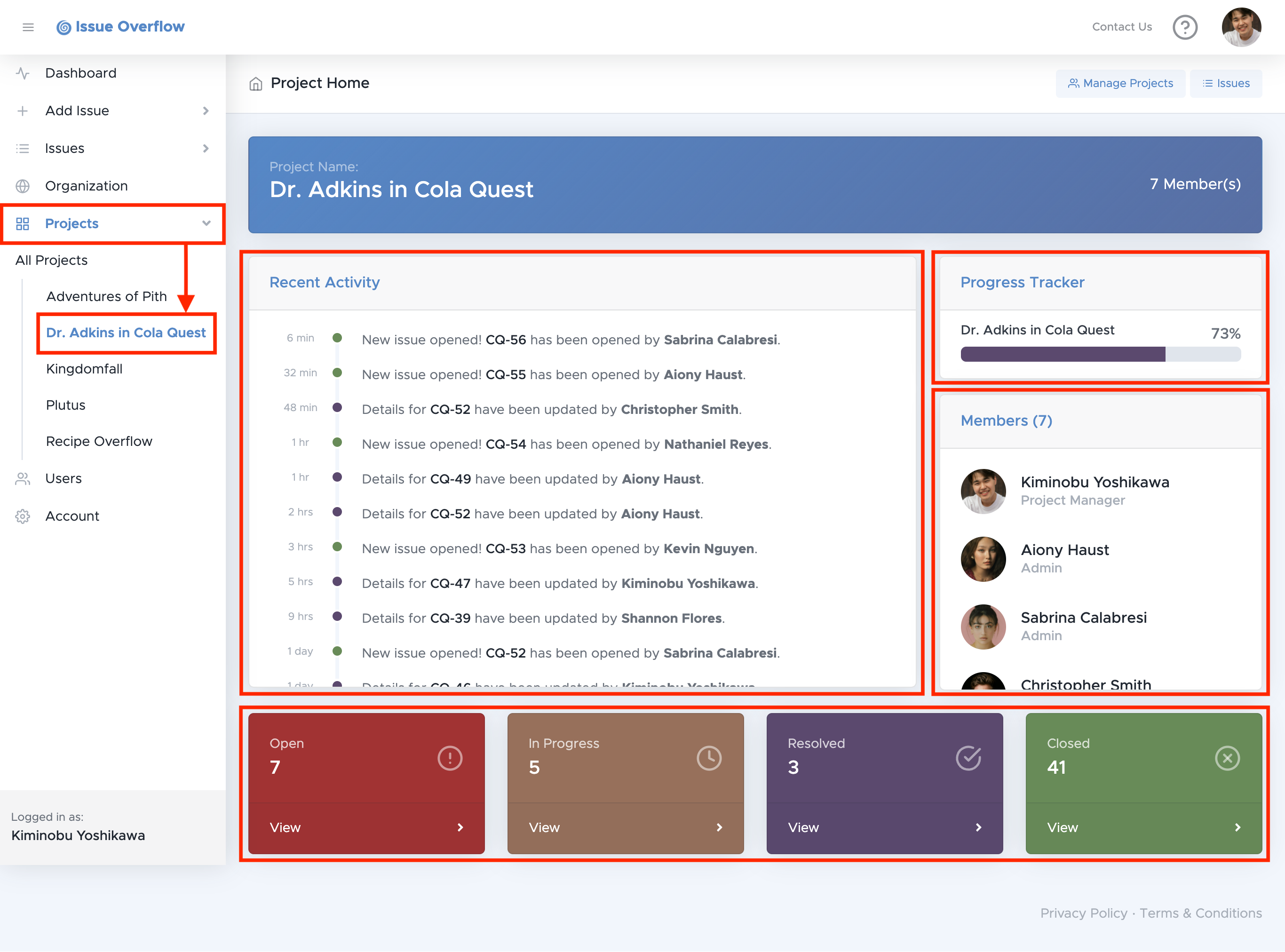
To view a Project's Home page, select Projects in the left navigation menu, then select a project.
On the Project's Home page, you will notice 4 sections that display information about the Project:
- Recent Activity displays the latest activities of Issues created and updated,
- Progress Tracker displays the percentage of Closed Issues,
- Members displays all the Project's members and their information, and
- the four Issue Status cards buttons that redirect you to a list of Issues, filtered by the clicked on Status.