Knowledge Base
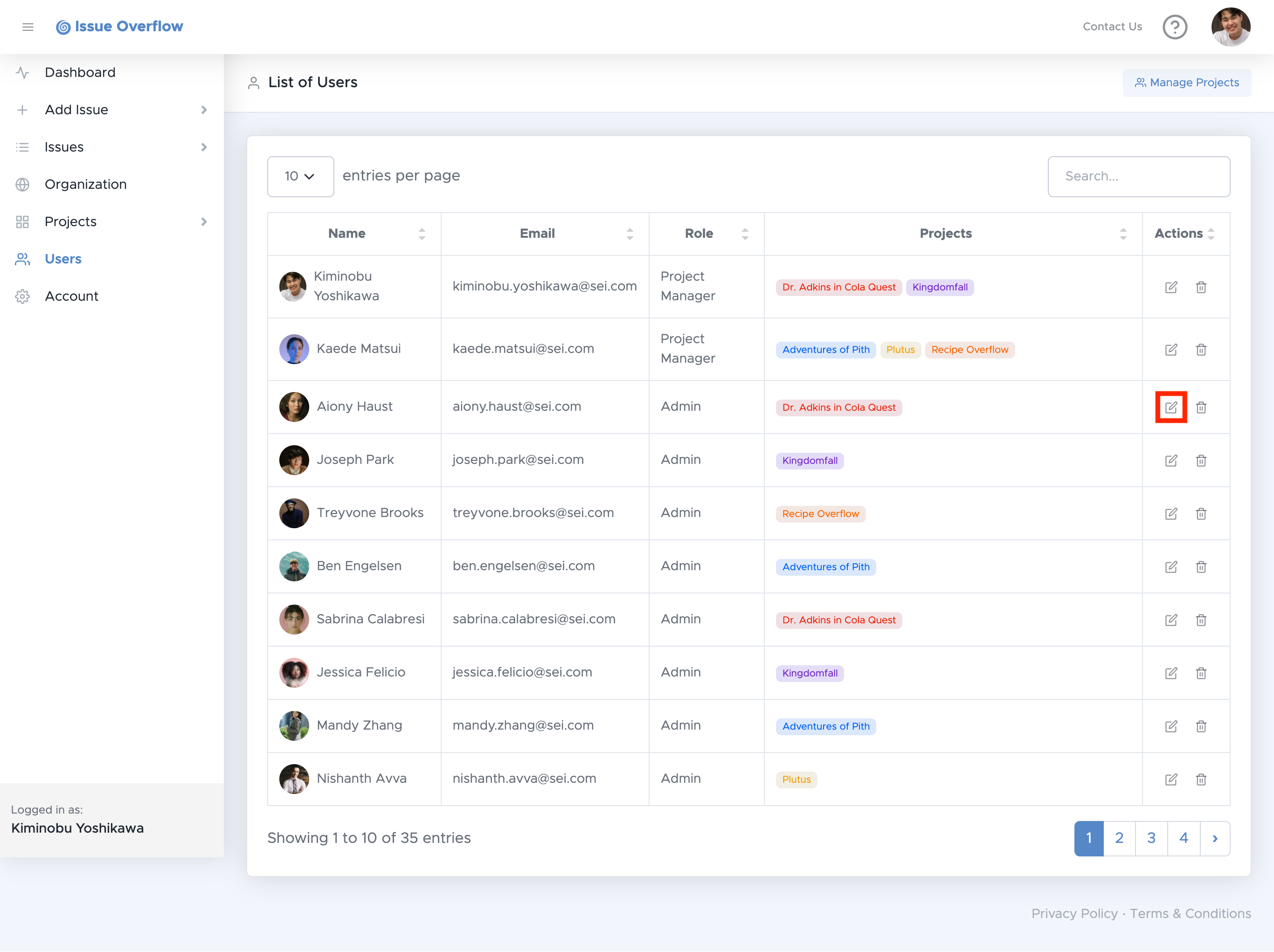
To manage members of a project, go to the Users page and select the button of the user you would like to make changes to.
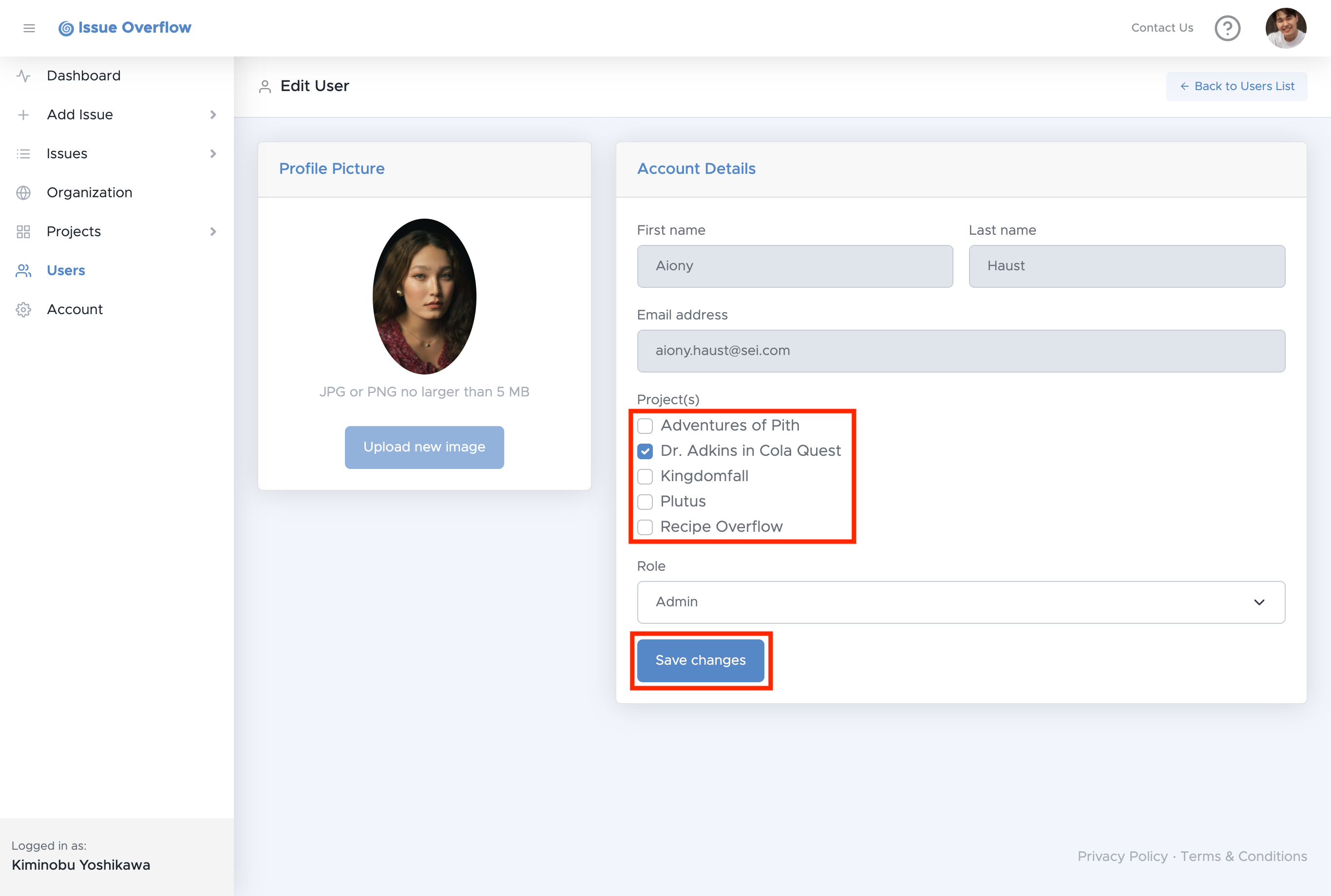
You will then be redirected to the associated Edit User page.
To add or remove this User to a project or projects, select or unselect the Project's checkbox, then select Save changes.