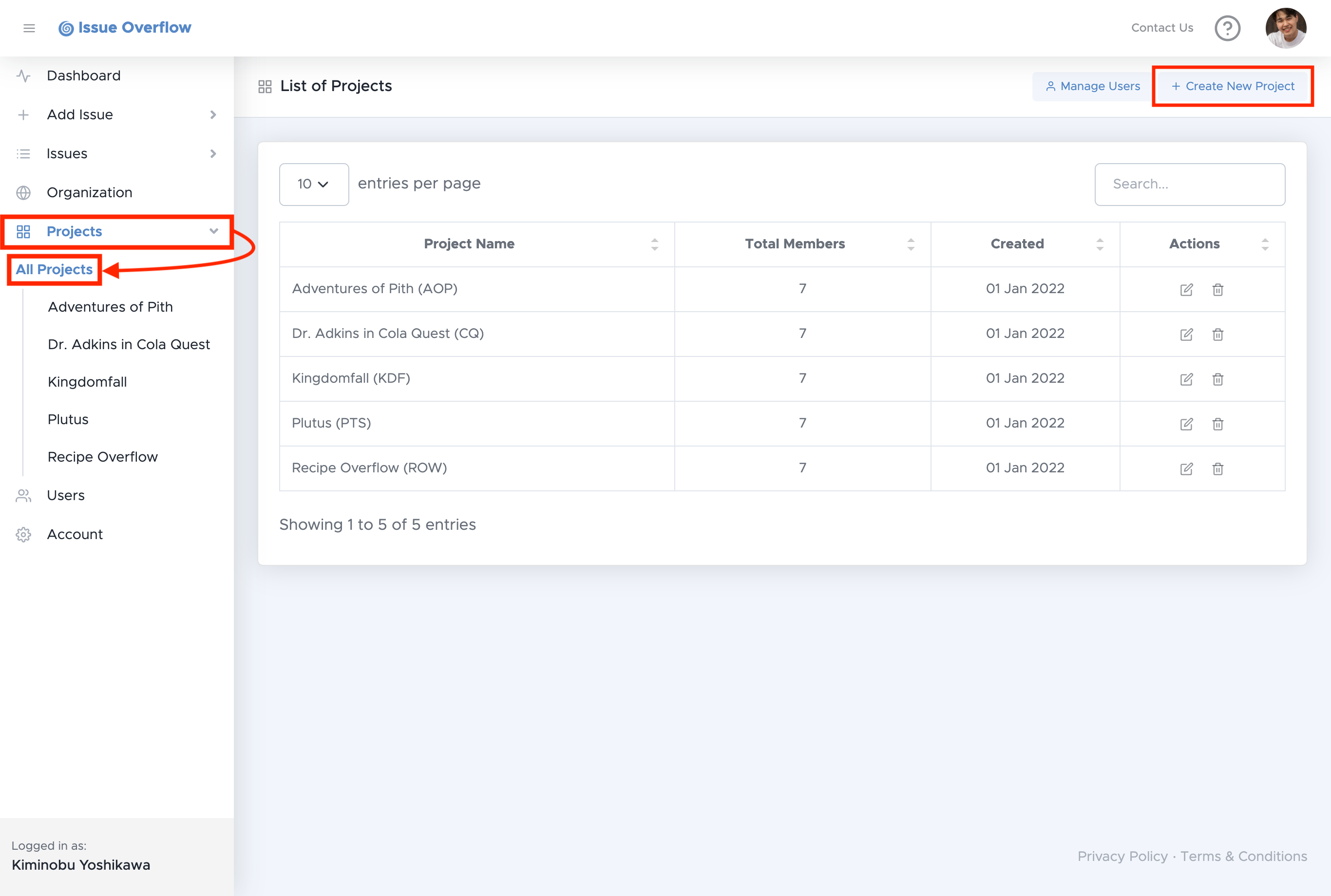
To create a new project, select Projects in the left navigation menu, then select All Projects.
After you land on the list of your Projects page, select Create New Project on the top right.
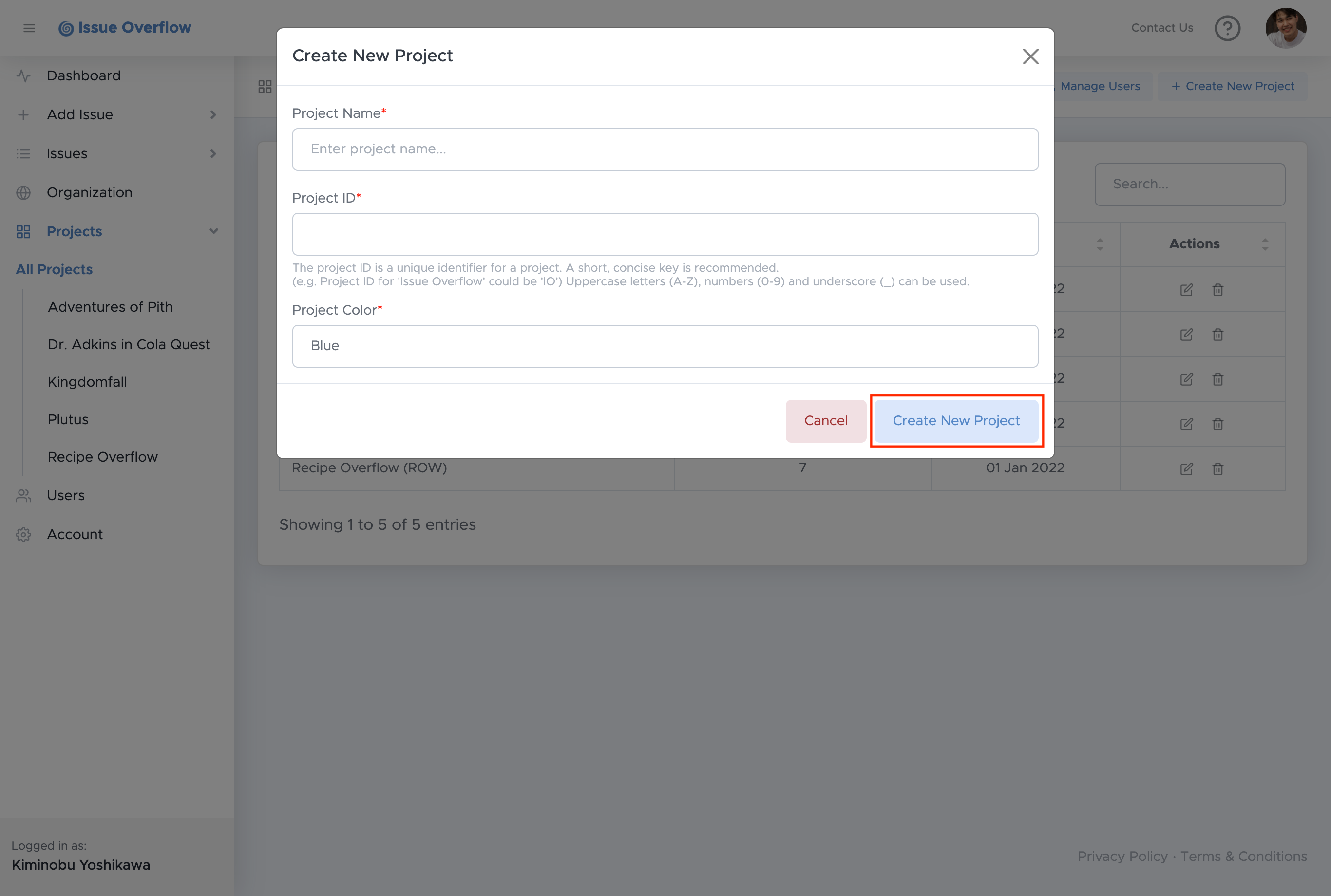
Next, enter your desired Project Name, ID, and Color, then select Create New Project.
Note:
Only Project Managers are authorized to create projects.