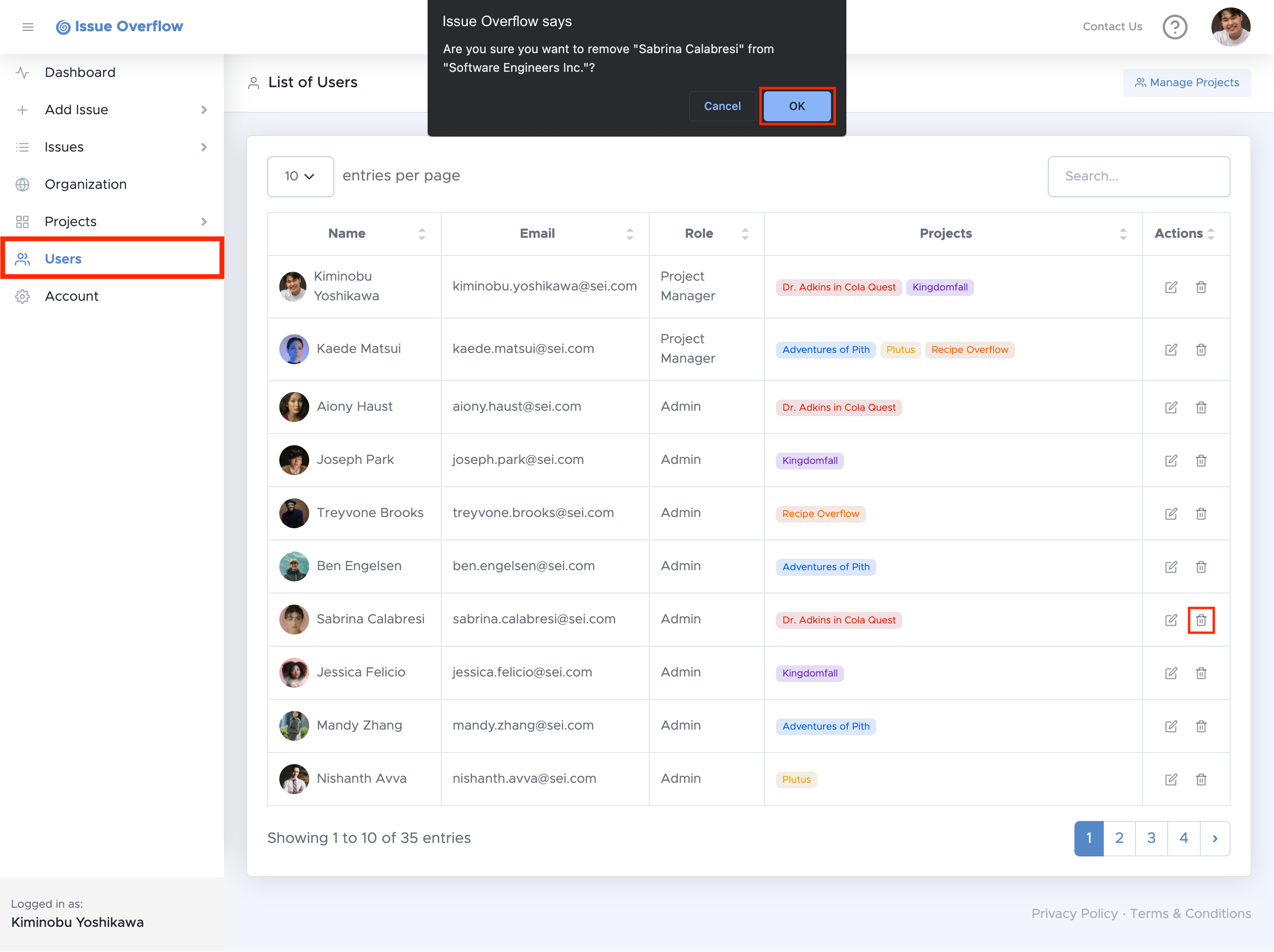
To remove a user from your organization, select Users on the left navigation menu,
then select the button of the user you would like to remove.
After you have decided that you still want to remove this user, select OK.
Note:
Only Project Managers are allowed to remove users from an organization.