Knowledge Base
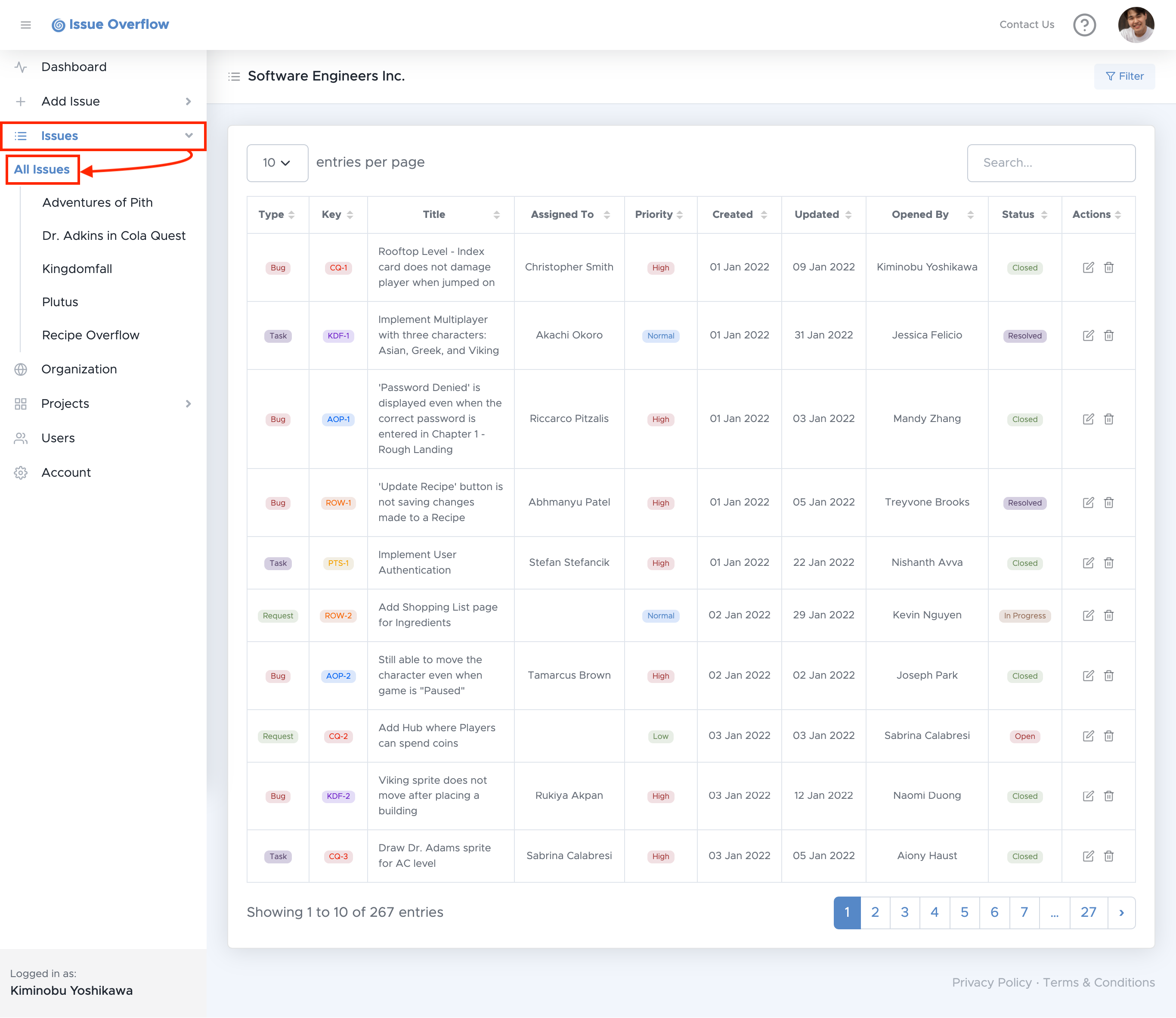
There are two options to view issues: all issues within an Organization or all issues within a single project.
To view the list of all the issues within your Organization, select Issues in the left navigation menu, then select All Issues.
To view the list of all the issues within a single project, select Issues in the left navigation menu, then select a project.
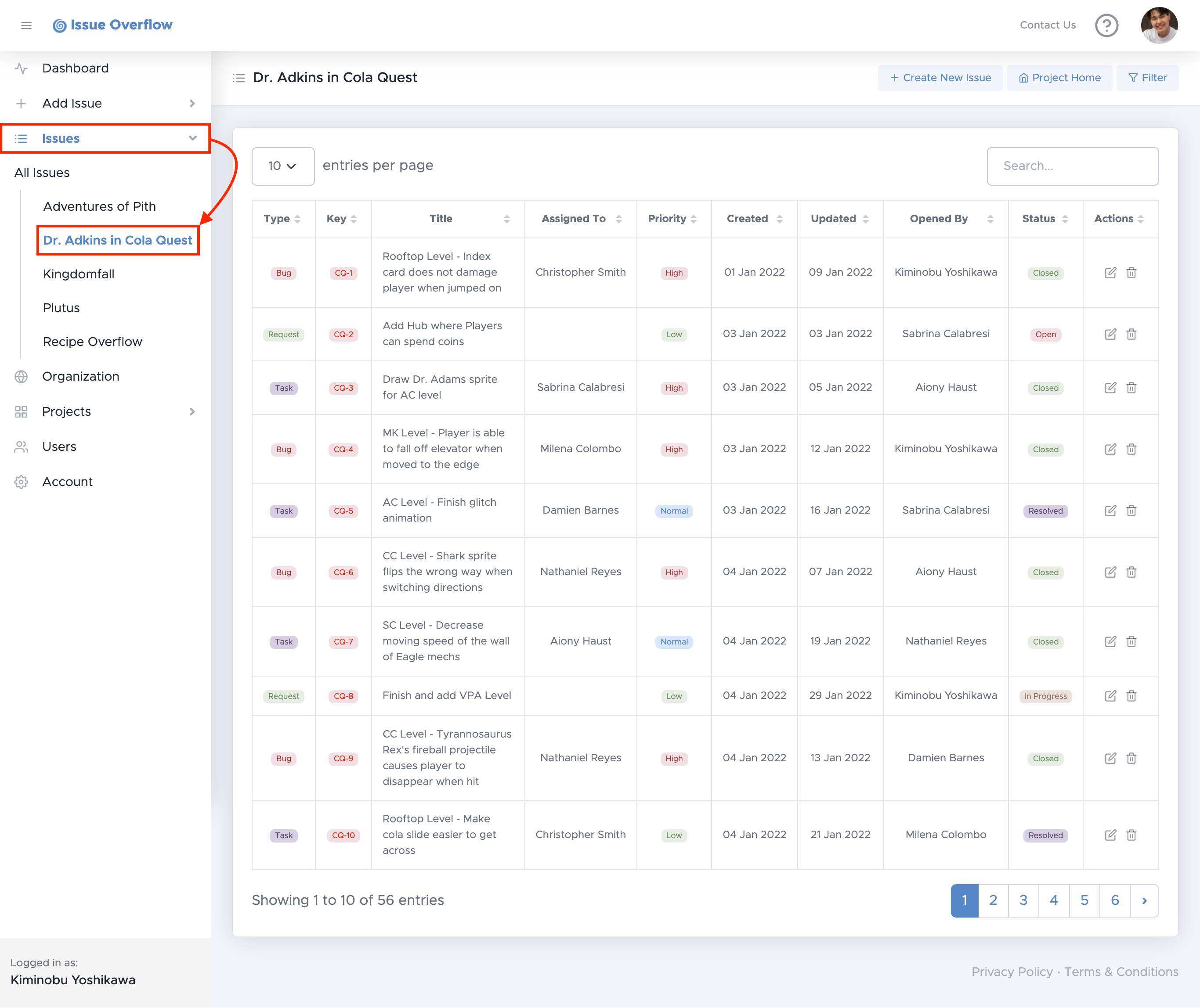
Each row of issues can be clicked on which will redirect you to its details page.
Here you can sort the issues by any Issue field of your choice, to do so, select a column header.
You can also filter issues to generate a filtered list of issues. To learn more about filtering issues, please click here