Knowledge Base
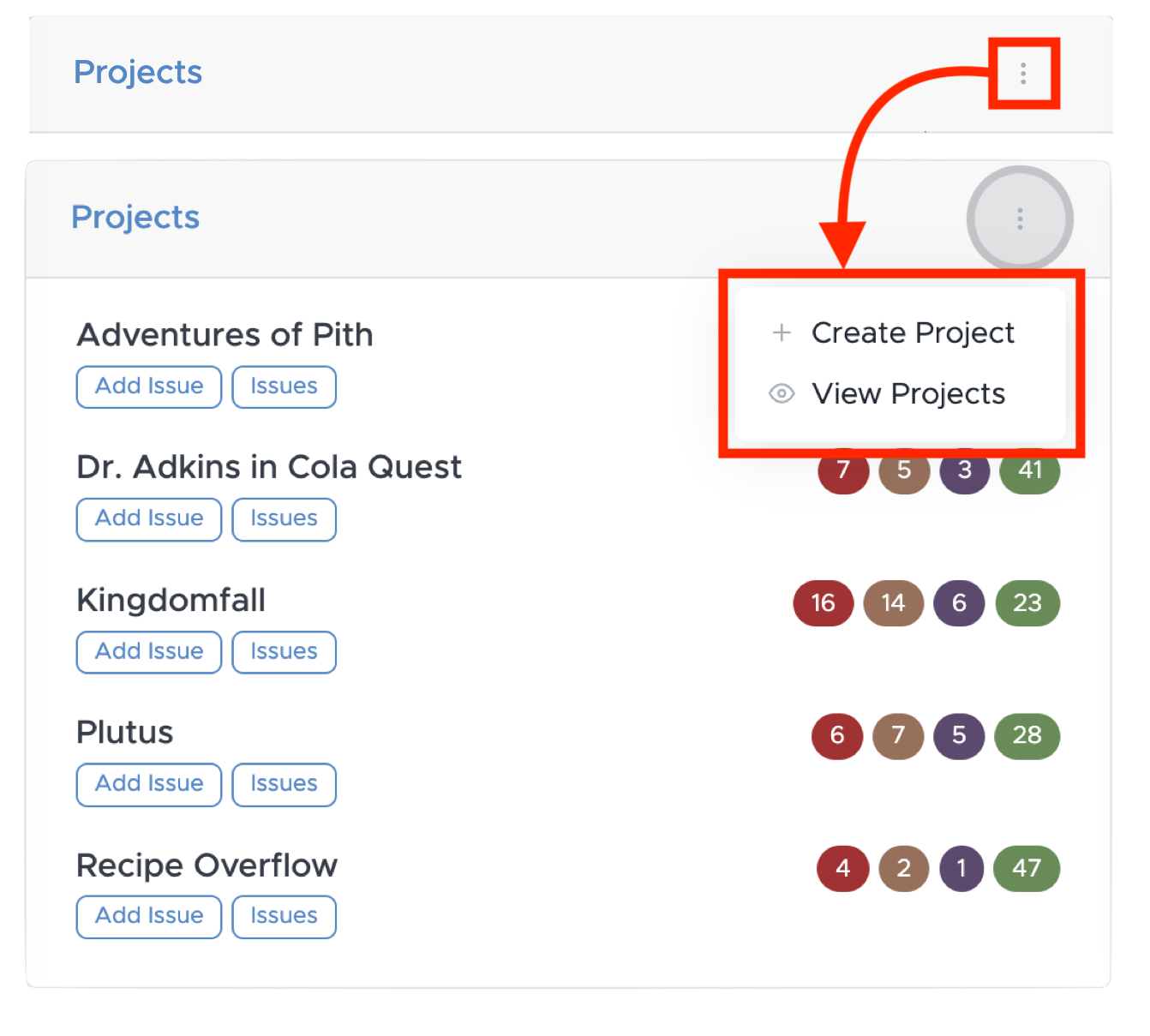
To create a project or to view the list of projects you are involved with, click the button as shown below:
Each project in the Projects section of the Dashboard will have 7 buttons.
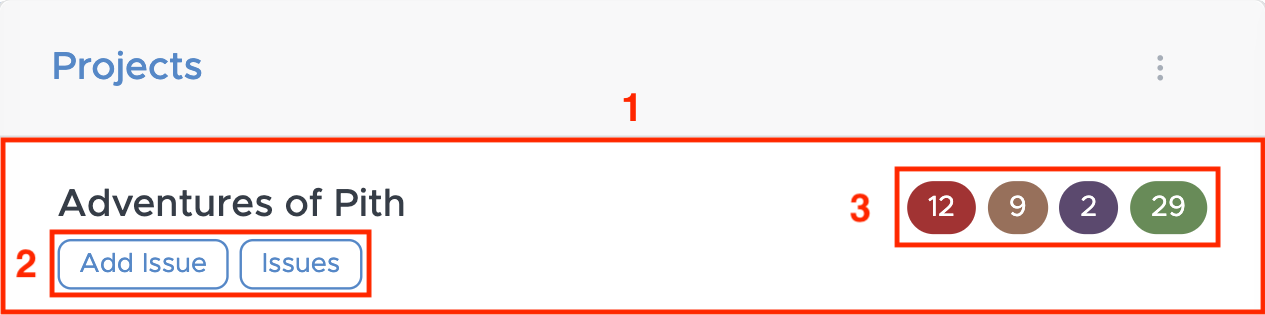
- This button will redirect you to the associated Project's Home page.
- These two buttons will redirect you to the Add Issue form, and to the list of the associated Project's Issues, respectively.
- These four buttons represent the four Statuses of an Issue, clicking on them will redirect you to a list of a Project's issues, but it will be filtered depending on which issue Status was clicked on.