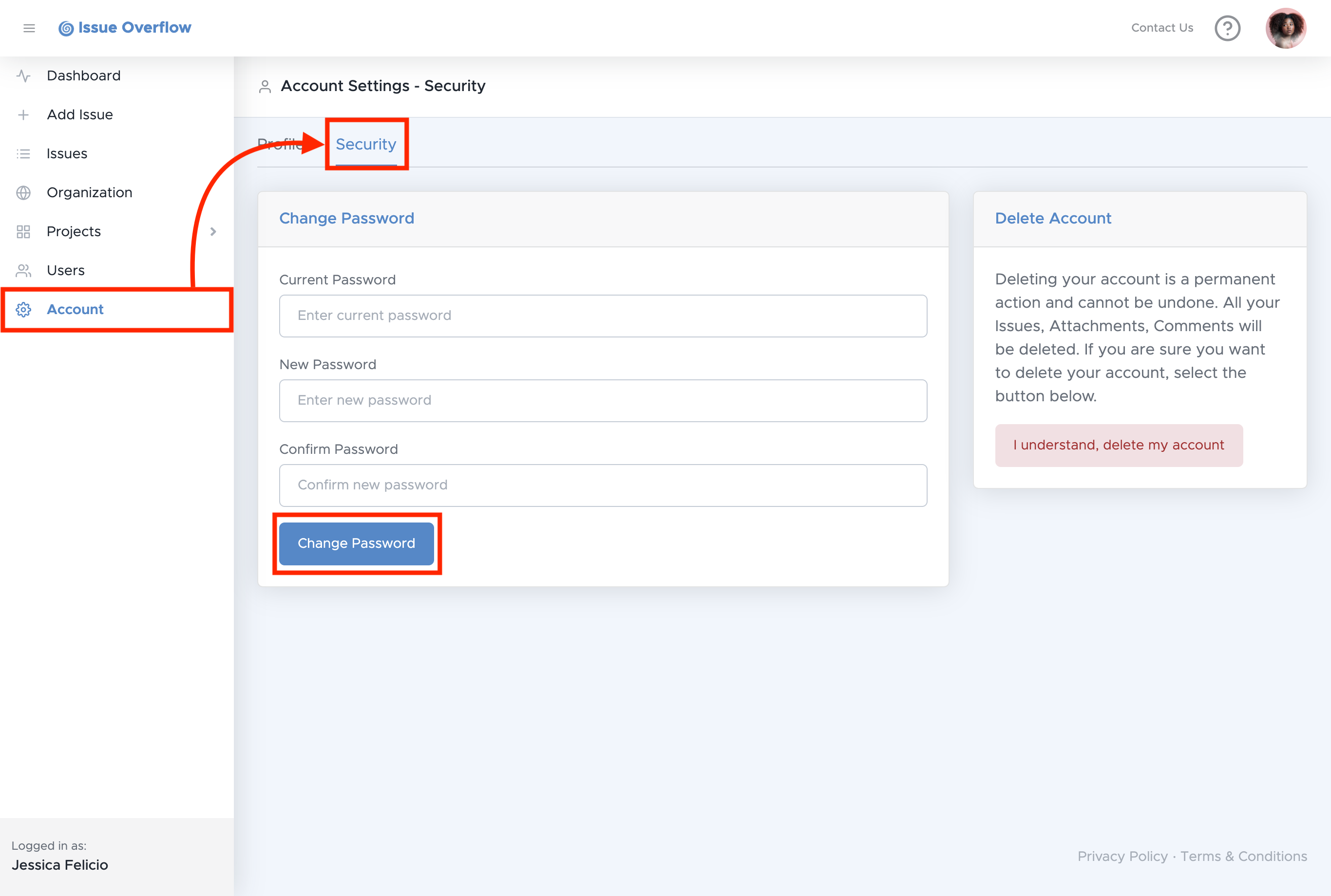
To change your password, select Account on the left navigation menu,
then select Security on the Account Settings navigation menu.
Next, enter your current password and then enter a new password. After confirming the new password, select Change Password.